
Ferries are an essential part of travelling around Indonesia, especially if you want to explore the islands beyond Bali.
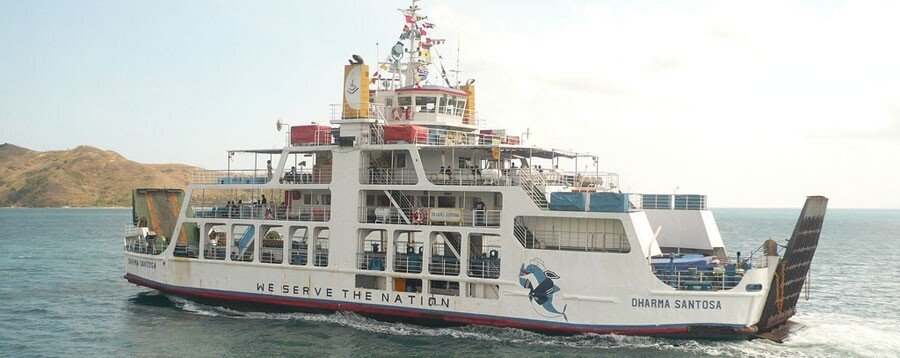
From Bali, you can easily reach Nusa Penida, the Gili Islands, Lombok and Java, either as part of an organised trip or independently. For shorter island trips, services such as MyBaliTrips can take care of the route and logistics, while independent travellers can book ferry tickets themselves.
This becomes particularly useful if you live in Bali or travel around Indonesia regularly, especially with a car or motorbike. Ro-ro ferries operate from Gilimanuk and Padang Bai, carrying both passengers and vehicles. If you are travelling with your own or rented vehicle, make sure to bring the necessary documents.
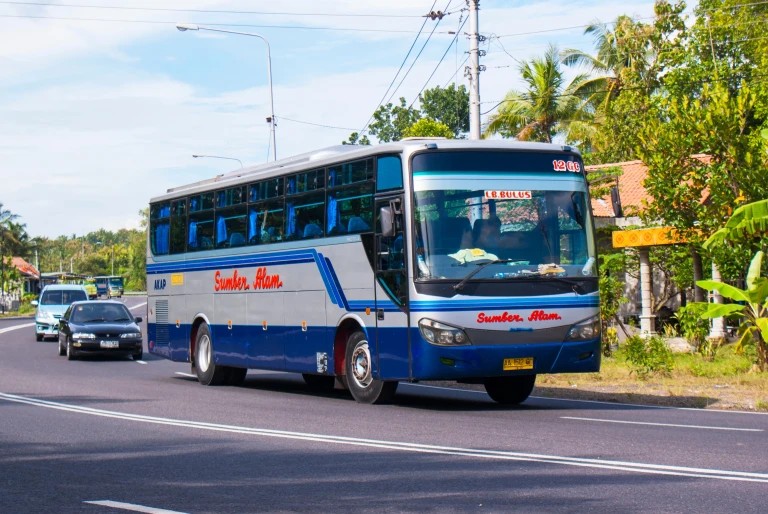
Ferry tickets can be purchased through several websites and apps. The main challenge is that some booking platforms are available only in Indonesian, but the process itself is generally straightforward. Here’s where to buy ferry tickets online and how to navigate the booking process.
Vehicle categories
To buy tickets that include a vehicle, you need to know exactly which category (Indonesian: Golongan) your “iron horse” falls into:
Golongan I — bicycle.
Golongan II — motorbike under 500 cc.
Golongan III — motorbike over 500 cc.
Golongan IV-A — private car/sedan under 5 m.
Golongan IV-B — truck/pickup under 5 m.
Golongan V-A — medium bus under 7 m.
Golongan V-B — medium truck under 7 m.
Golongan VI-A — large bus under 10 m.
Golongan VI-B — large truck under 10 m.
Golongan VII — truck under 12 m.
Golongan VIII — truck 12–16 m.
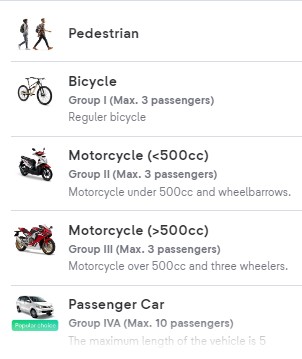
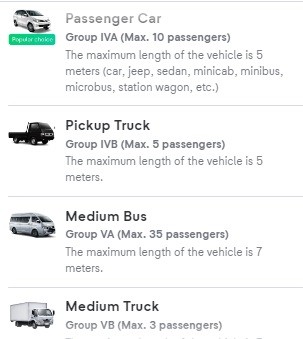
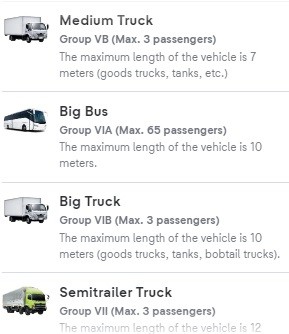
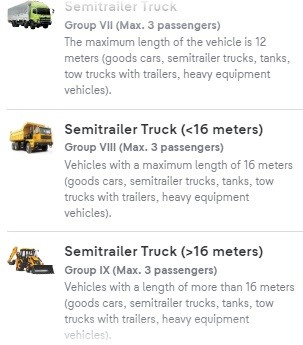
Vehicle categories in English on tiket.com
The Bali – Java and Java – Sumatra routes
Tickets for the Gilimanuk (Bali) – Ketapang (East Java) and Merak (West Java) – Bakauheni (Sumatra) ferries can be found on tiket.com. There is an English version. The interface is fairly simple: you enter the departure and destination ports, the date, the time, the number of passengers, and the vehicle category if you are travelling by car/motorbike, or “foot passenger” (Indonesian: Pejalan kaki) if you are travelling light.
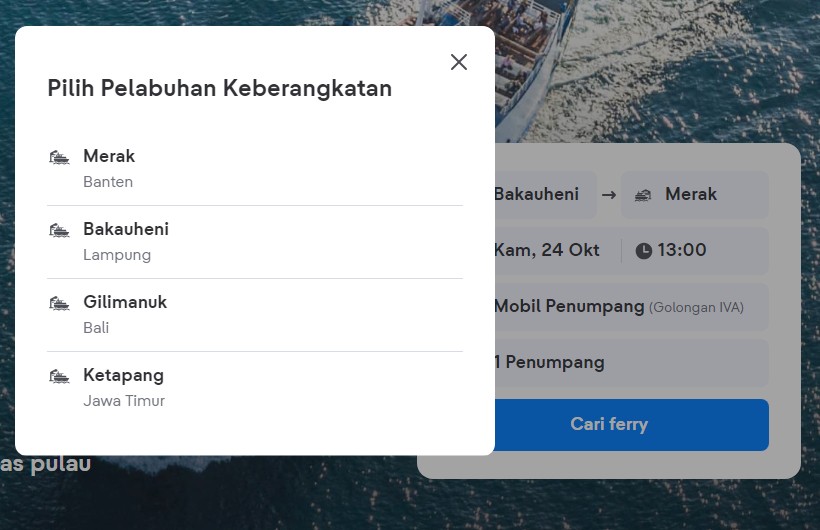
Click “Cari ferry” (search for a ferry), and the following window opens:
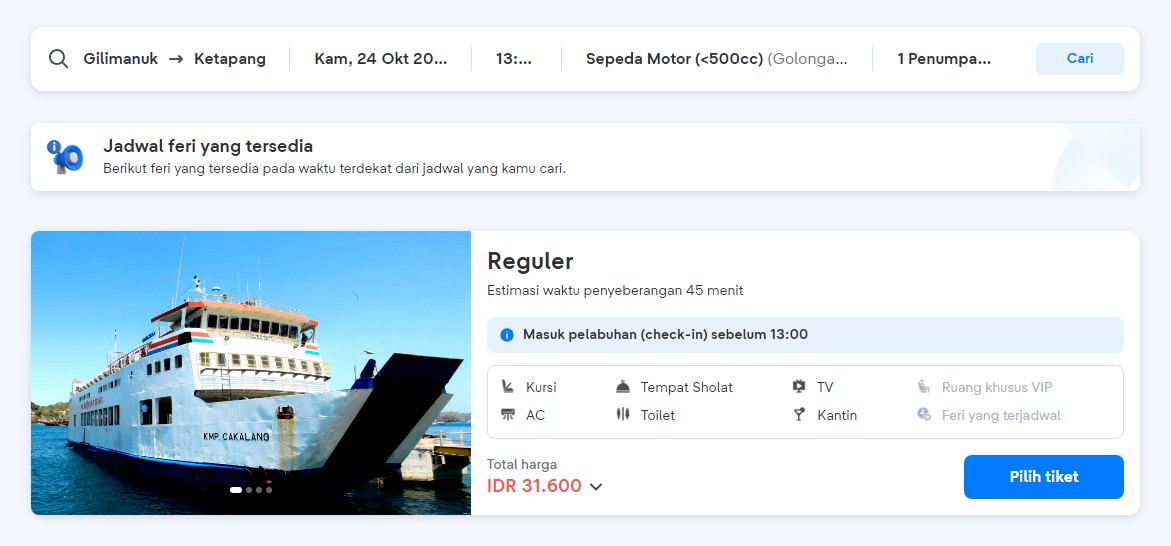
Click “Pilih tiket” (select ticket) and a window opens where you enter the details of the person booking, the passengers and the vehicle.
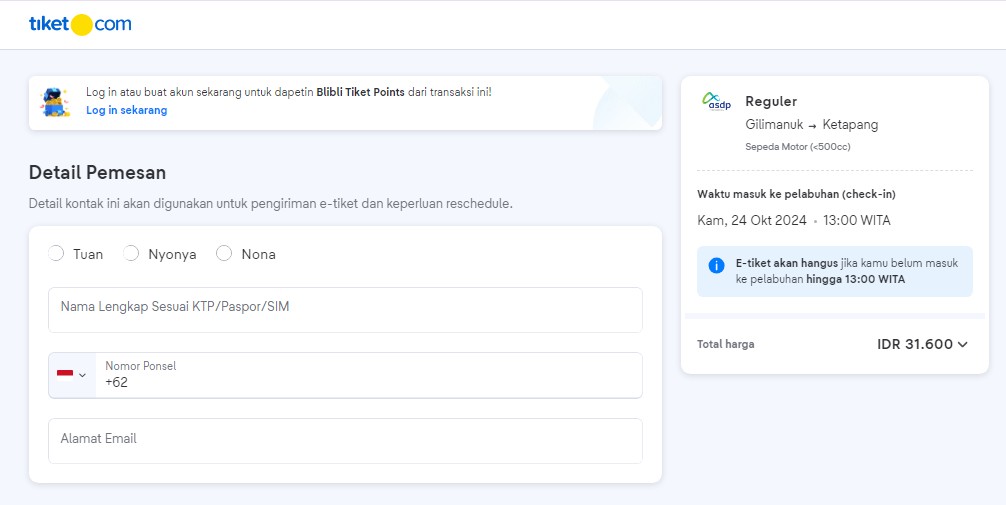
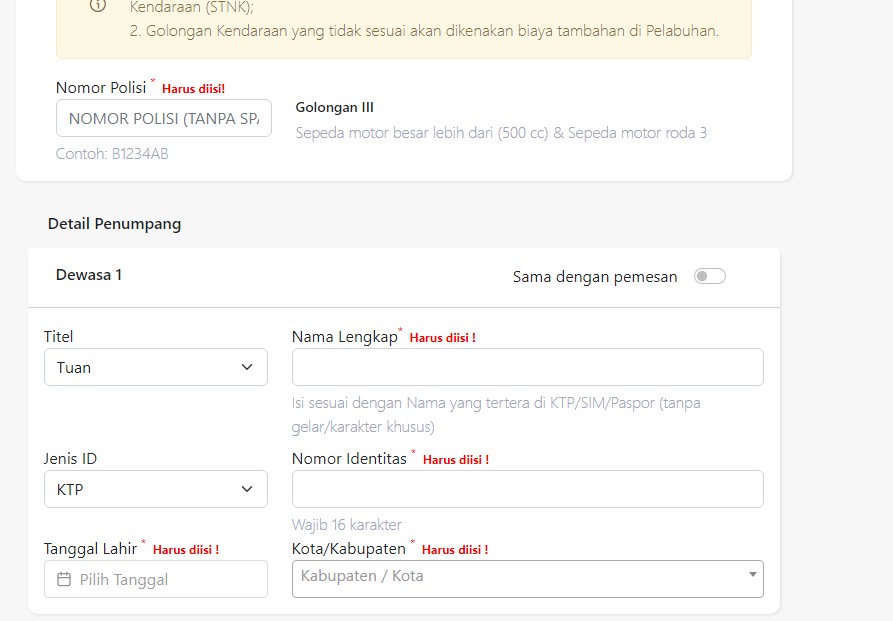
There is a “Same as the booker's details” checkbox (Sama dengan pemesan) so that you don't have to enter the same information twice. Tuan means sir, Nona a girl or young unmarried woman, Nyonya a married woman. Usia is age. Pilih kota domisili is your city of residence in Indonesia. Under Info identitas, choose “Paspor” if you only have foreign documents. Enter your passport number and the country of issue. If you already have local Indonesian documents, you can enter those instead — a SIM (local driving licence) or a KTP (Indonesian identity card).

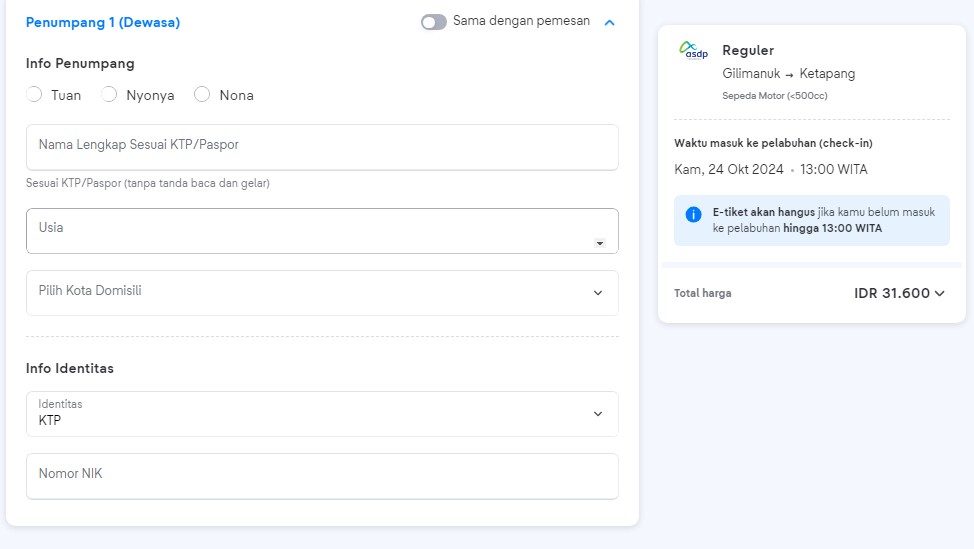
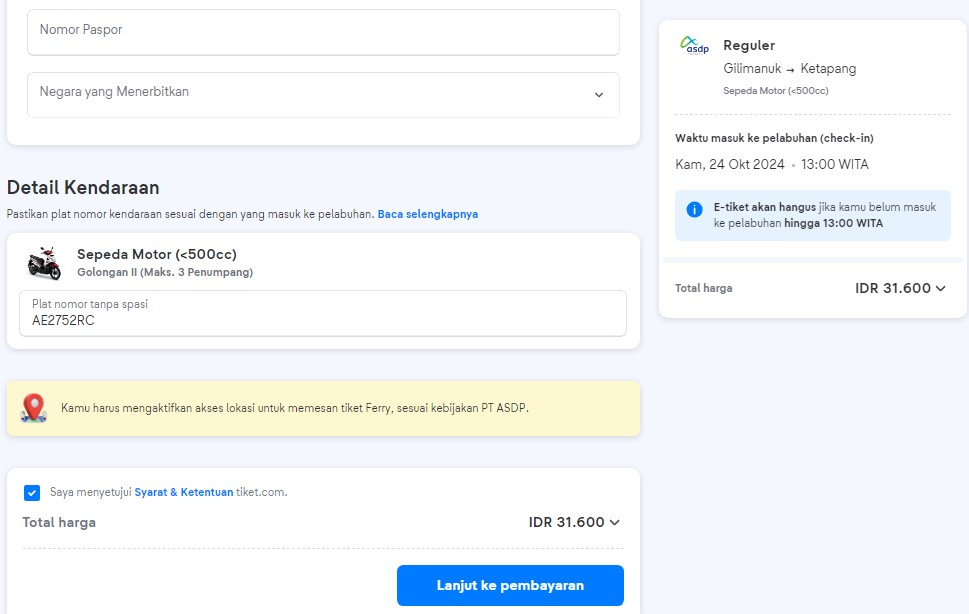
Enter the vehicle's registration number and click “proceed to payment” — Lanjut ke pembayaran — then choose the payment method that suits you. This is usually a local e-wallet such as GoPay or Dana, or a virtual account with a local bank. You need to allow the site to track your location, otherwise it won't move on to payment. Once the payment has gone through, the tickets are sent to the email address you provided.
The Bali – Lombok and Nusa Penida routes
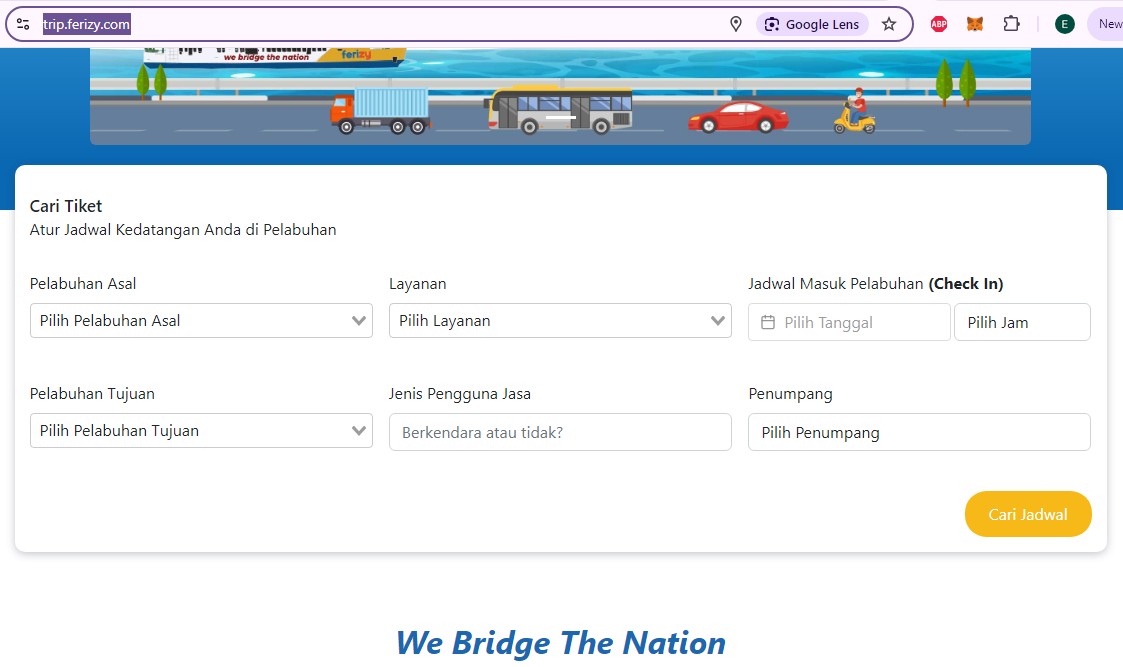
For the Padang Bai (Bali) – Lembar (Lombok) route, as well as for some others, it is convenient to book on trip.ferizy.com or through the ferizy app. The ferries run around the clock every 1.5–2 hours, depending on the weather and how busy things are.
The following routes are available:
Bali (Padang Bai harbour) – Lombok (Lembar).
Bali (Padang Bai) – Nusa Penida.
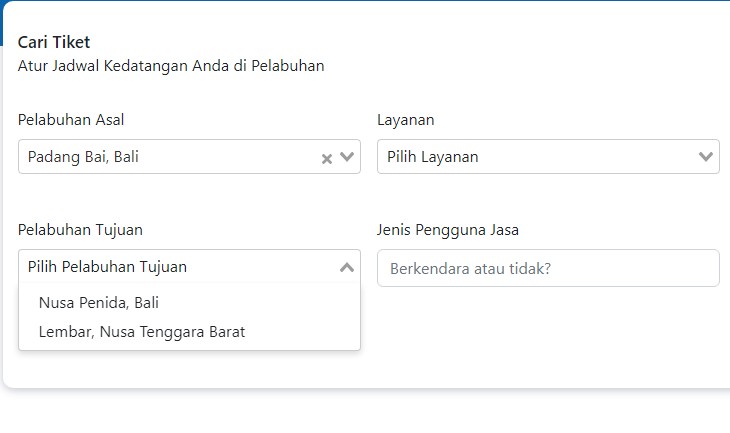
From Java to the nearby islands, for example Gresik (near Surabaya) – Bawean, Jangkar (East Java) – Lembar (Lombok), Jepara (Central Java) – Karimunjawa, Kamal (Surabaya) – Ujung (the island of Madura) and a few others.
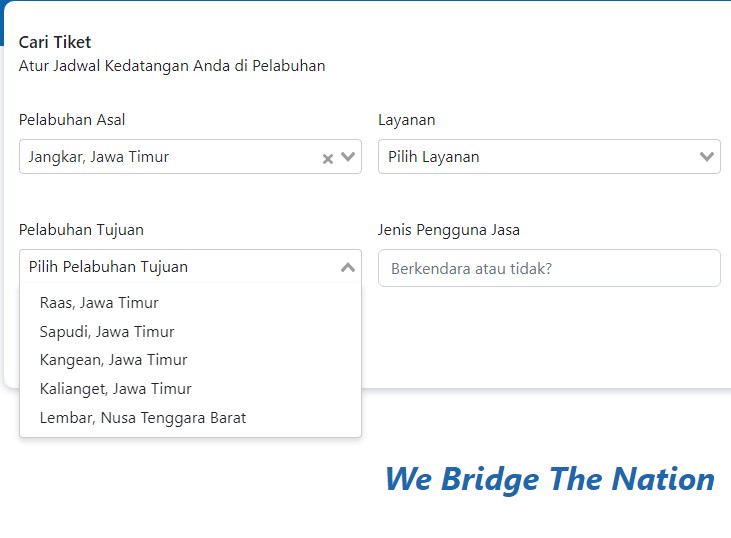
Let's take the Bali – Lombok route as an example:
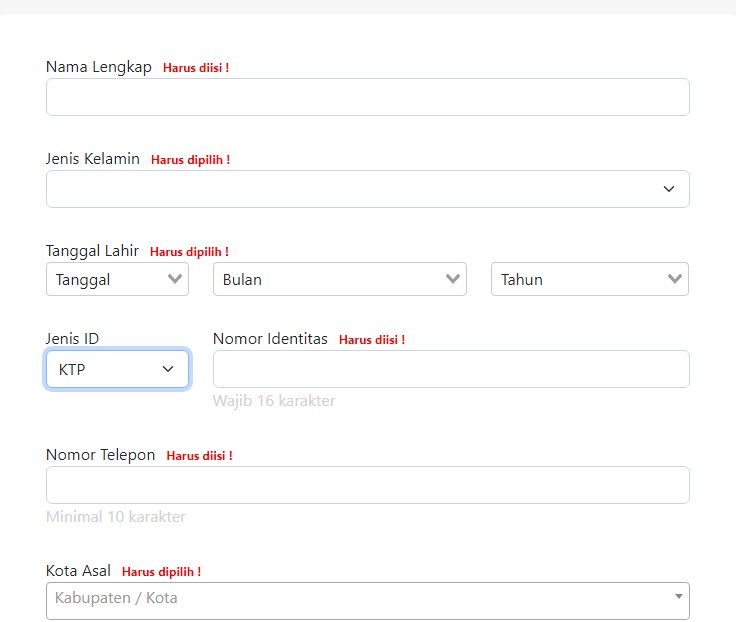
1. Register an account — enter your details: name, gender, date of birth, document type and number (KTP identity card, SIM driving licence or passport), your phone number in Indonesia and your city of residence. Grant access to your location, otherwise the site or app works poorly.
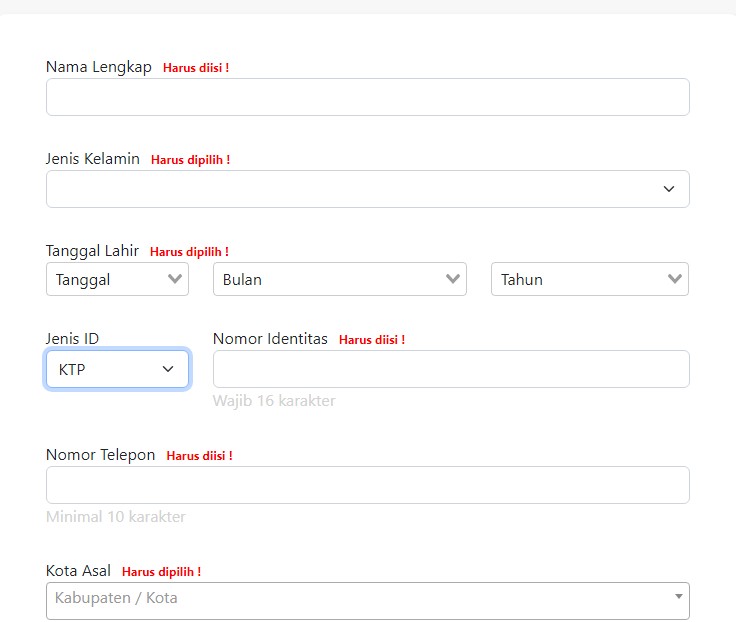
Alternatively, you can log in with a Google account and fill in your details afterwards.
2. Once you are logged in, select the departure port (pelabuhan asal) and the destination port (pelabuhan tujuan), the date and time of departure, the type of service (layanan) and the ticket type (foot passenger — pejalan kaki — or vehicle — kendaraan).
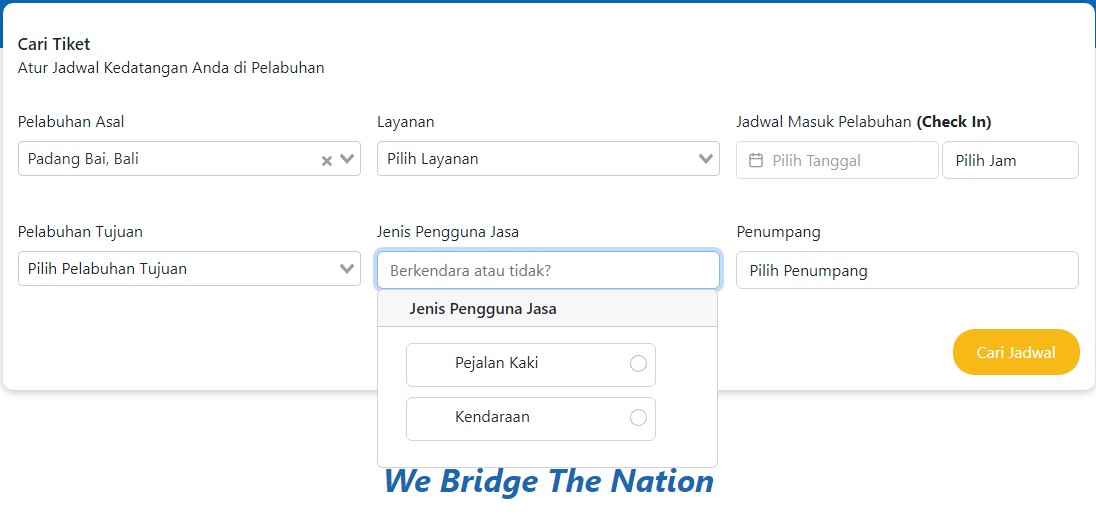
3. If you have selected a vehicle, you then need to choose its category (see the classification).
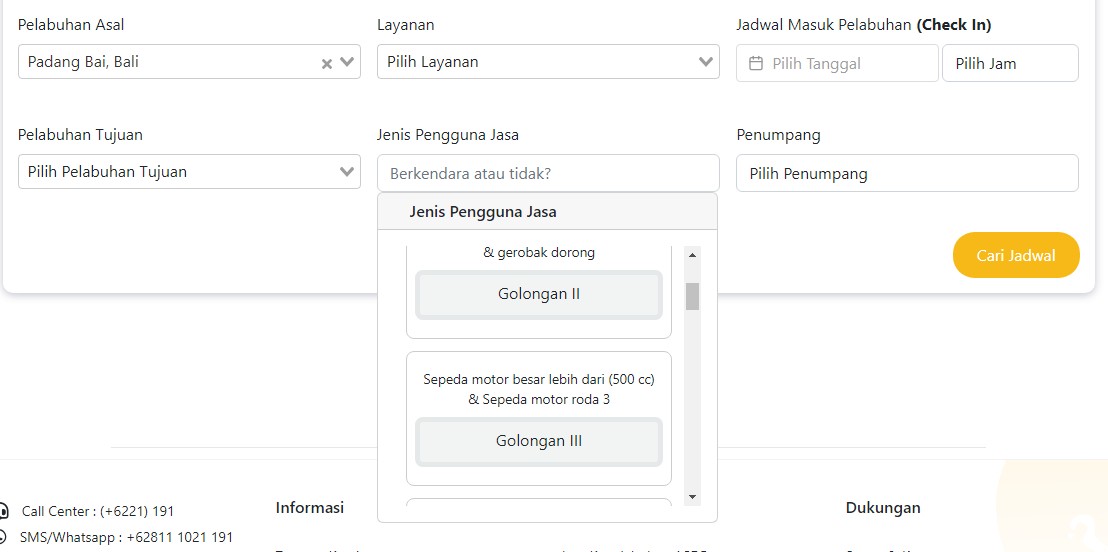
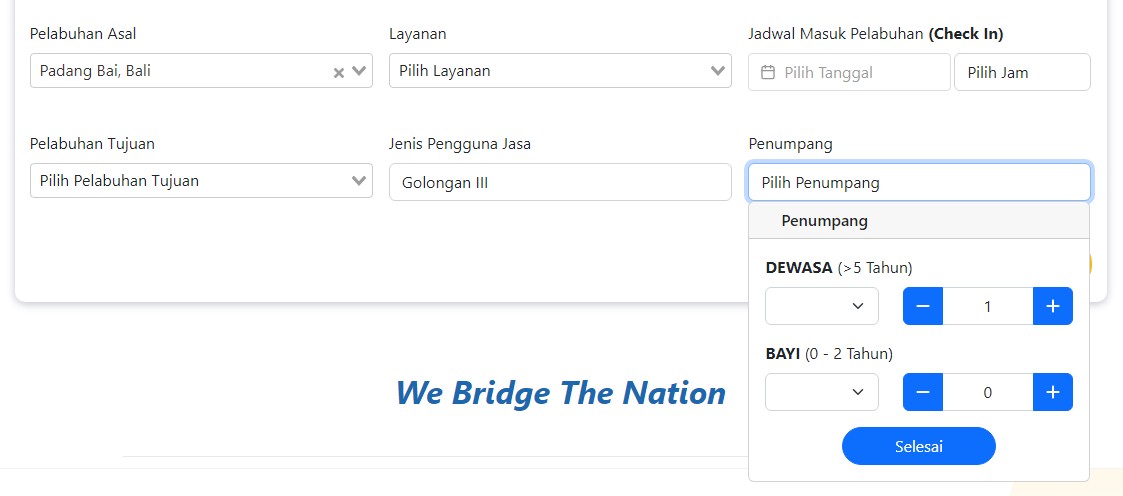
4. Next, enter the number of passengers — adults and children over 2 years old (Dewasa) and infants under 2 (Bayi) — and the class of service, economy or business.
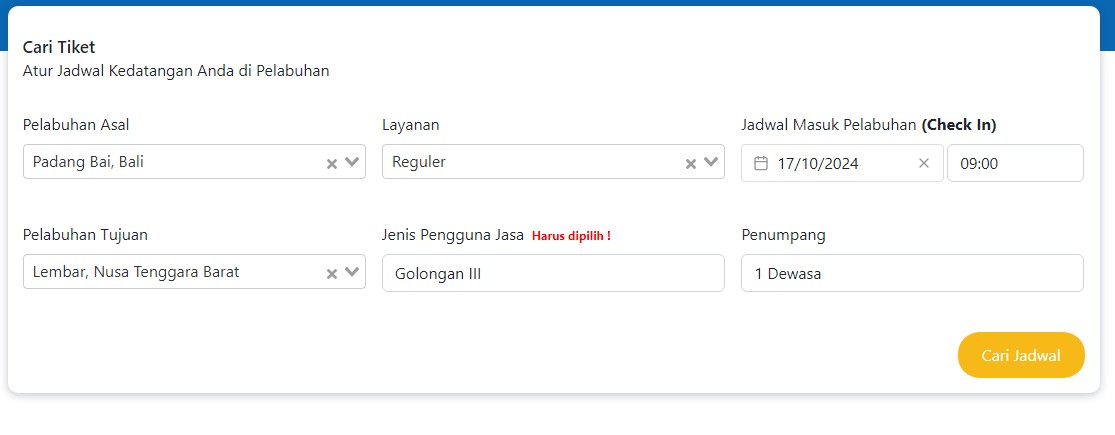
5. Click the yellow search button, “Cari jadwal”.
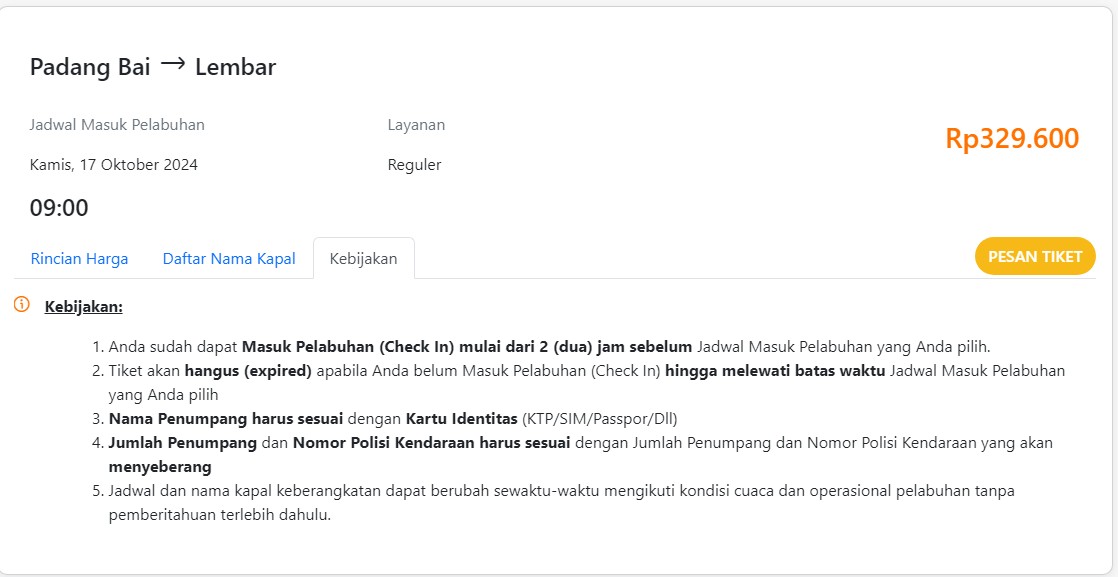
6. Check the details and click “Pesan tiket”
7. Then check the details and enter the STNK vehicle registration number (if you are travelling with a vehicle), the passenger's name, gender, date of birth, document type and number, phone number and city of residence in Indonesia.
8. Confirm
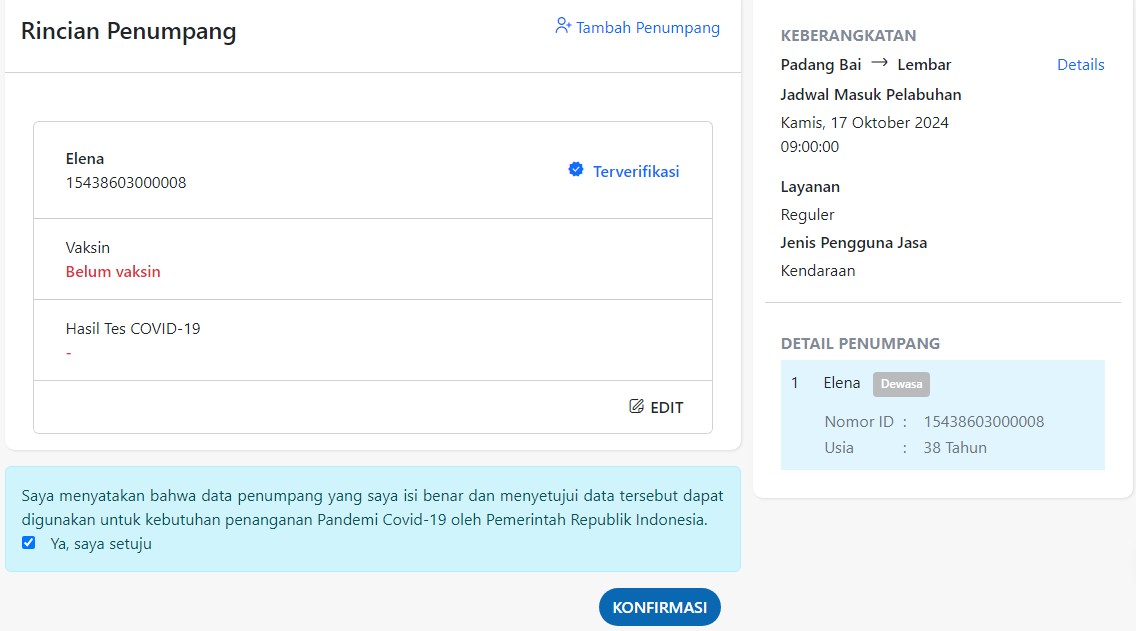
9. Check the details once more and click the payment button at the bottom of the page, “Lanjutkan pembayaran”.
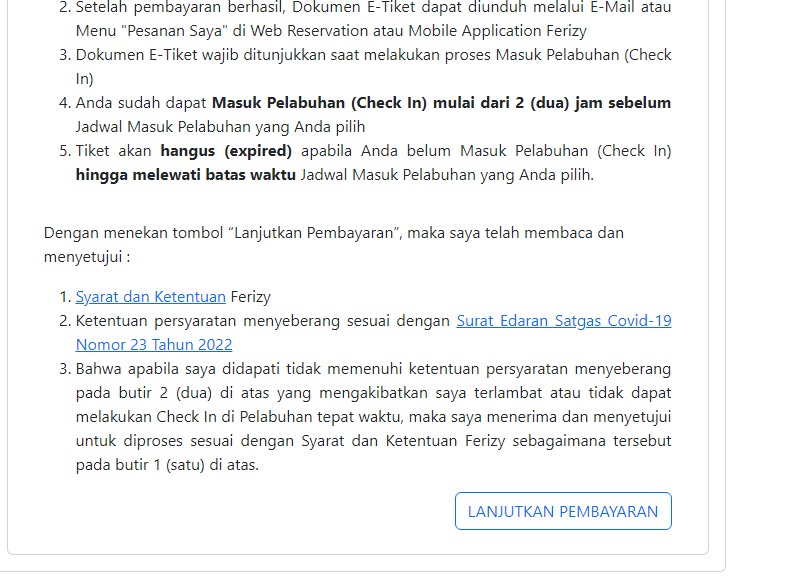
10. Choose the payment method that suits you. You can pay through the virtual accounts of Indonesian banks, or in cash at the Indomaret or Alfamart chain stores
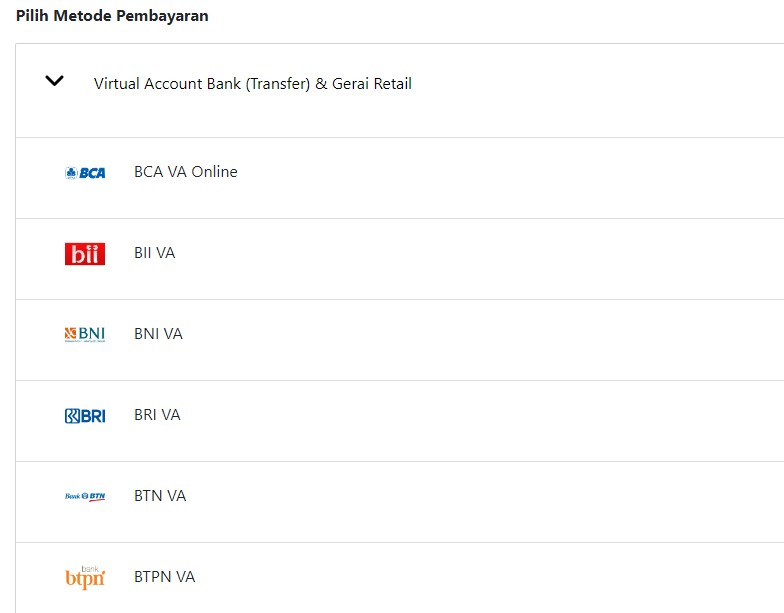
After payment, the tickets will be sent to the email address you provided. You need to show a QR code when you enter the port.

You can add one right now!